rmoc
Posts: 70
Joined: Tue Mar 14, 2017 8:27 pm

Condition based source files

I have a file appsettings.json which should be installed in my target directory.
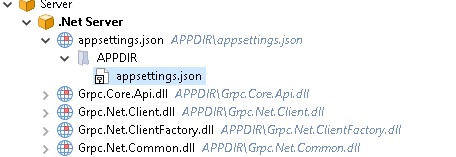
appsettings.png
appsettings.png (10.94 KiB) Viewed 20999 times
However, I would like to select the source file depending on a condition. Although I can define a condition for the component, I can only ever define one file as the source file. I have seen that I can define the path to the source file using different builds. In this case, however, this is of no use to me as the condition can change at runtime. So probably the only way will be to copy the file manually from two different sources via custom action.
Is there an easier way to do this that I don't know? It would be very helpful for the future if you could define a target file from several different sources.
Catalin
Posts: 7664
Joined: Wed Jun 13, 2018 7:49 am

Re: Condition based source files

Hello,

What I can think of to overcome your scenario (e.g. installing different appsettings.json based on a condition) is like this:

Note: let's consider we have two appsettings.json files.

- under "Application Folder", create two separate folders (e.g. 1 and 2)

- in each folder, add your appsettings.json

- right click on each folder and check the "Install content into parent folder" option

- in "Organization" page, condition each of your files to be installed based on the condition

Hope this helps!

Best regards,
Catalin
Catalin Gheorghe - Advanced Installer Team
Follow us: Twitter - Facebook - YouTube
rmoc
Posts: 70
Joined: Tue Mar 14, 2017 8:27 pm

Re: Condition based source files

Hello Catalin,

Yes, that's exactly what I was looking for. Thank you

Reagrds,
René
Catalin
Posts: 7664
Joined: Wed Jun 13, 2018 7:49 am

Re: Condition based source files

You are always welcome, René!

Glad I was able to help. :)

Best regards,
Catalin
Catalin Gheorghe - Advanced Installer Team
Follow us: Twitter - Facebook - YouTube

Return to “Feature Requests”

